Stay connected.
Keep your team prepared.
Bring equipment questions, parts identification, maintenance guidance and software support to the people behind your installation. Start with a clear equipment reference and a description of what you need.
The right route for your request.
Technical assistance
Describe the affected system, lane and visible symptoms. Equipment identification and clear photos help the team review the issue and agree the next step.
Parts & replacements
Identify the installed equipment before requesting a part. Include an order reference, part markings, photographs, quantity and delivery location.
Software & operation
Share the installed version and the operating question. Review updates and configuration changes with the technical team for the equipment in your venue.
Know what response means.
SunEye’s service framework connects domestic and international requests with technical support. Equipment diagnosis, parts delivery and on-site attendance may involve separate next steps.
Domestic technical solution
Our domestic service team works to provide a technical solution within 24 hours.
International response
International requests are connected with technical support within 72 hours.
Software & maintenance support
Stay connected for operating guidance, software updates and equipment care through the project relationship.
Response and technical guidance do not set a universal repair, shipment or arrival time. Any site visit, parts supply and associated costs are agreed for the location and service scope.
Make the issue easier to understand.
- 01
Identify the installation
Provide the venue, country, project or order reference, bowling format and affected lane or equipment. Describe whether the issue is limited to one lane or affects several.
- 02
Describe what happened
Include the visible message, when the issue began and what was happening at the time. Add clear photographs or a short video in your email, together with actions already taken.
- 03
Review the next action
The technical team can review the information and discuss guidance, further checks, parts identification or a site-service requirement. Follow instructions appropriate to your equipment.
- 04
Keep the service record
Retain the correspondence, identified parts, approved changes and follow-up notes with the venue’s operating information. These details support future requests.
Equipment identity.
Clear symptoms. Site context.
Information to include
- Project / order reference and equipment model.
- Country, city, venue and a contact person.
- Affected lane numbers and the exact screen message.
- When the issue started and whether it is intermittent.
- Relevant photographs, video and part markings.
- Recent changes and actions already taken.
Choose the right route
For normal operation, start with the User Guide. For planned cleaning and inspection, use Maintenance & Care. For a specific equipment issue or replacement, prepare a support request.
Keep guests away from an affected area when needed. Mechanical or electrical work should be handled by trained personnel using the equipment instructions.
Understand what your agreement covers.
Review the equipment supply agreement and service terms for your installation. A support request starts the review; it does not by itself confirm warranty coverage or authorize paid work.
- Warranty basis
- Applicable equipment, coverage period, start date and the process for a warranty review.
- Wear & consumables
- Which items are consumables or wear parts, and how replacements are ordered.
- Remote assistance
- Contact route, information required, equipment access and the agreed technical support scope.
- On-site service
- Whether attendance is required, location, travel arrangements, local assistance and applicable charges.
- Parts & shipping
- Compatible part, quantity, availability, destination, freight and delivery arrangements.
- Software & training
- Applicable updates, configuration review, operator preparation and any additional training scope.
Give the team a useful starting point.
Operating roles
Identify who starts sessions, uses the scoring controls, checks the lanes and contacts technical support. Align guidance with the installed configuration.
Care information
Keep the applicable operating instructions, care routine, equipment references and spare-parts information accessible to the people who use them.
Updates & changes
Record service actions and approved configuration changes. Ask for guidance when a software update, replacement part or operating change needs review.
See the equipment.
See the work on site.
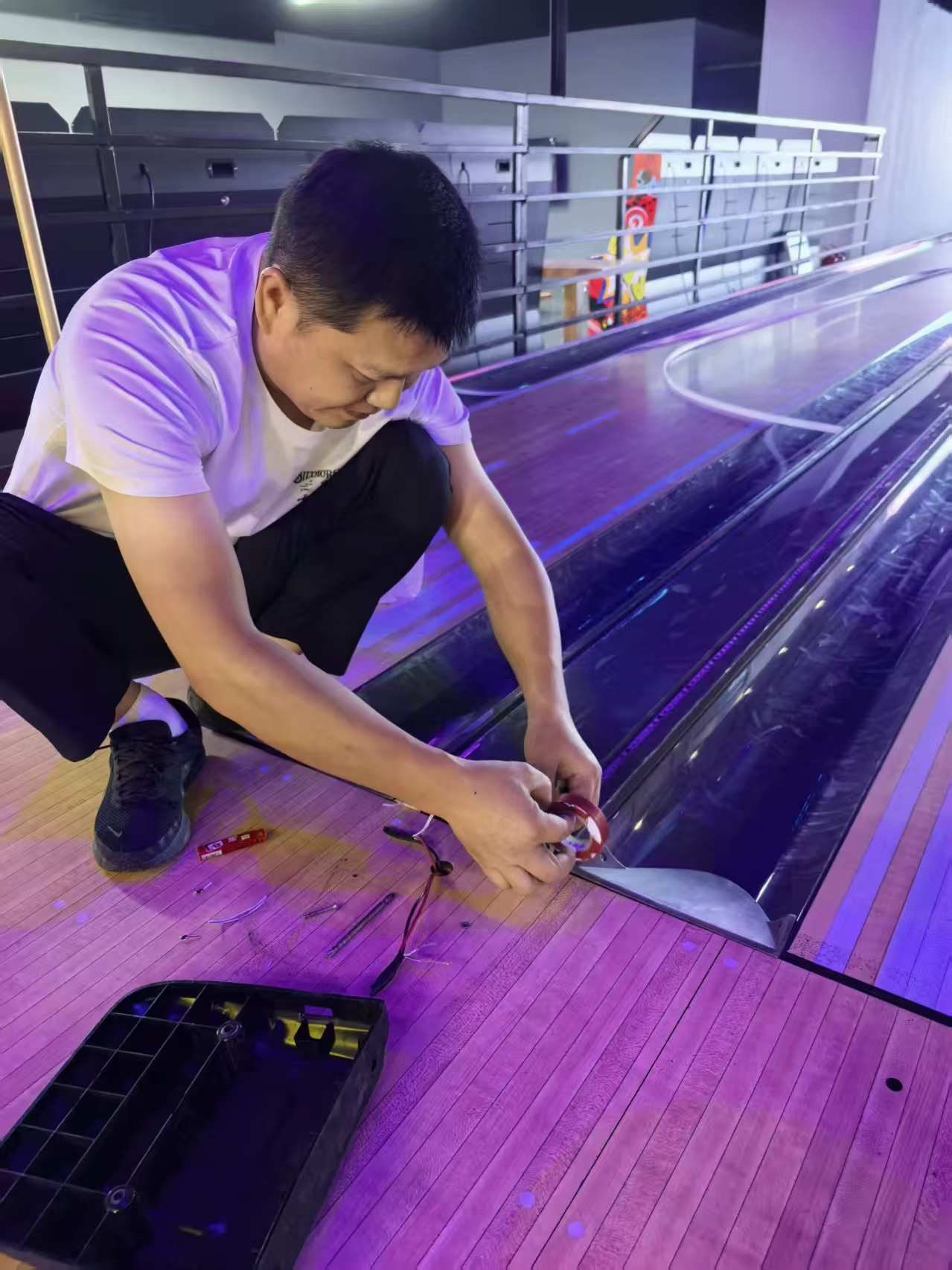
These cases show service visits to installed venues, including room views and close photographs of technical work.

Quanli Player · Wuhan
Four tenpin bowling lanes, with pinsetting details and hands-on work at the lane edge.
Explore the project →
CSCEC Xingdong · Wuhan
A four-lane venue with daylight and photographs of mechanical inspection.
Explore the project →A clearer conversation starts here.
Is a technical response the same as an on-site repair?
No. The first response connects you with technical support. Diagnosis, parts supply and any attendance are then discussed for the issue, equipment and location.
How can I check whether a part is compatible?
Send the equipment and order reference, photographs of the part in place, its markings and the quantity needed. Compatibility should be checked before a replacement is ordered.
Where can I find the warranty for my installation?
Refer to your equipment agreement and warranty documents. Include the project or order reference when asking SunEye to review the applicable coverage and service arrangements.
Can I attach photographs to this form?
This form does not upload attachments. Submit your support details here, then email photographs, videos or documents separately to info@suneyebowling.com, quoting the enquiry reference shown after successful submission.
Can you help prepare our operating team?
Discuss the training and handover scope for your installed system. The User Guide and Maintenance & Care pages provide a starting point for everyday operating and care topics.
Prepare a clear
support request.
Identify the installation and describe the issue. Review the brief, add any supporting files to your email and send it to our team.
Bring the information you have.
A clear location, equipment reference or floor plan helps us connect your request with the right team.
- Describe the venue and your role.
- Include the scope or questions you want reviewed.
- Email drawings, photos or a parts list separately after submitting, quoting your enquiry reference.
Prepare your brief
Submit your enquiry to the SunEye team. Your details are used to respond to and manage your request. You will receive a reference after successful submission. Send supporting files separately by email, quoting your reference.
Copy the full brief into your email or attach the downloaded TXT before sending.